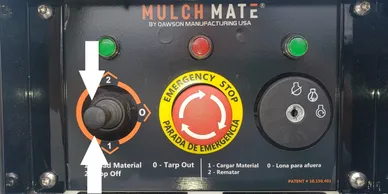
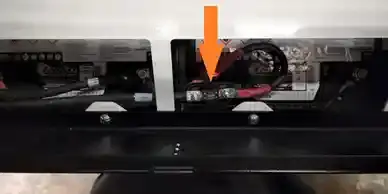
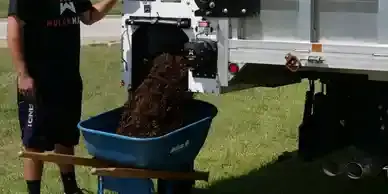
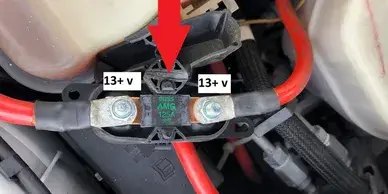
If the conveyor does not run when you press up or down on the joystick check the 50 amp breaker on the bottom of the unit.
02
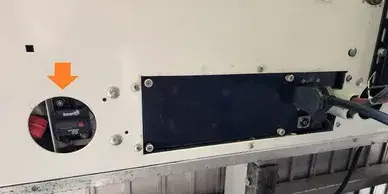
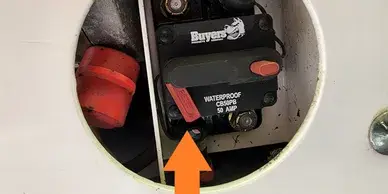
50 amp breaker is located just inside the round 3" hole next to the black electrical box under the Mulch Mate belly.
03
If the little red flag is popped out simply press it back in. If it won't stay in, wait 2 minutes and try again.
For help call 888-776-8524 x204 service/engineering
No Green Lights at all?
If you don't get any green lights
If you turn the key and get no green lights at all it could be one of a few things, either the 5/10 amp breaker in the electrical distribution box has popped or the 250 amp fuse on the batteries is blown.
Check the 5/10 amp breaker
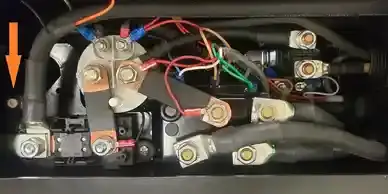
Inside the black electrical box under the Mulch Mate you will see a small white button with either a 5 or 10 on it. If popped, press it back in and the unit should work again. If nothing happens go to the next step.
Check 250 amp fuse
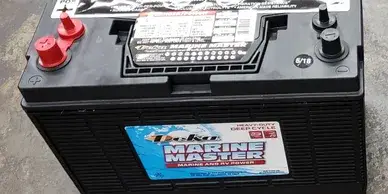
Open the tool basket, under the rubber mat in the lower left corner you will have access to the top of the batteries. Check the 250 amp fuse. You will need a test light or meter to check this fuse. If good, you will see power on both sides of the fuse. If bad, only one side will have power.
For Help call 888-776-8524 x204 service/engineering
No Green Lights at all?
Seems low on power
If you unit starts off working but slows and now will not pull material into the unit, STOP. Continuing to press the joystick can cause damage.
Check battery levels
You must have a minimum of 12.5 volts to run the system. Continuing to press the joystick with low voltage causes excessive heat and can damage contacts and motors.
Check truck charging system
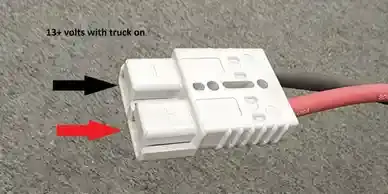
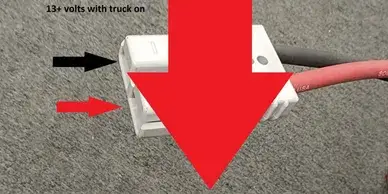
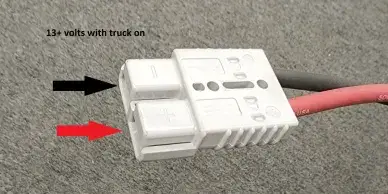
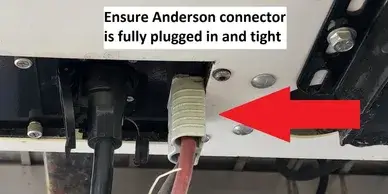
Unplug the gray Anderson power connector from the bottom of the unit and check to make sure you have at least 13+ volts at the gray Anderson power connector when the truck is running.
No power at Anderson Connector
If you do not have power at the gray Anderson connector with the truck running go to the “Truck Charging Harness not working” section
Good power from truck?
If you have good power from the truck but battery levels are lower then 12.5 volts you may have a shorted battery. Replace both batteries with Deep Cycle Marine Batteries.
Fully Charge Batteries
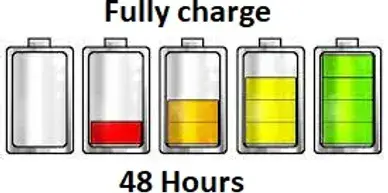
Fully charge batteries. Batteries need to be charged for at least 48 hours. You see 12 volts at only 20% capacity, but you need 100% capacity to full operate all day.
Truck Charging Harness not working
No power at Anderson Connector
If you have no power at the gray Anderson Power connector plugged into the Mulch Mate when the truck is running you need to check the truck system fuses.
Checking truck charging harness
First check power from the truck battery to the 125 amp fuse. You will need a test light or meter. If you don’t have power on both sides of the 125 amp fuse, fuse is bad.
If fuse is good
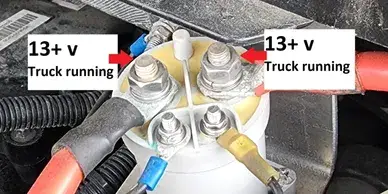
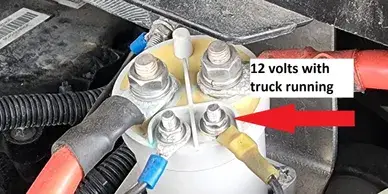
With truck running you should have power to both large posts on the gray solenoid. If you only have power on one side, check small posts.
If you have power at large post
Check red wire going to the small post. If you have no power with truck on it means you may have a bad fuse or connection from the truck fuse panel, Check small 20 amp fuse.
All points have power
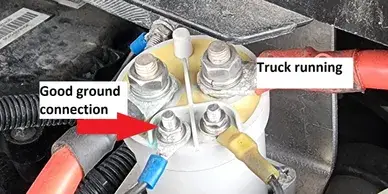
If all points seem to have correct power but the solenoid still does not come on check the ground wire that goes to the small post. Without a good ground the solenoid will not work.
Final check
Once you have power at all the mentioned points, double check to make sure you have power at the back of the truck where the Anderson Connector plugs into the Mulch Mate and is plugged in completely.
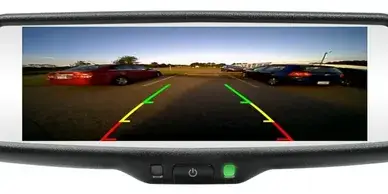
Back up camera not working
Check power to camera
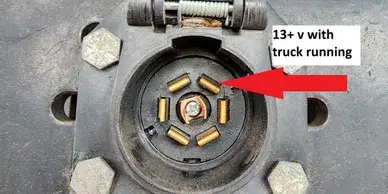
Check for power from the 7-pin connector. The camera gets its power from the first terminal to the right of the alignment detent when the truck is on.
Check AV cable
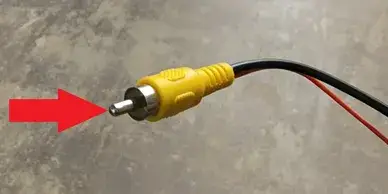
Check to make sure the center pin of the AV cable is still in place. If you see a white plastic center pin, the cable is bad and missing the metal jacket on the center pin.
Power to monitor
Make sure you have 12 volts and a good ground to the monitor. Once you have power to both the camera and monitor, as soon as you plug in the AV cable it works.
For Help call 888-776-8524 x204 service/engineering
Wireless tarp remote not working at all
Remote not working
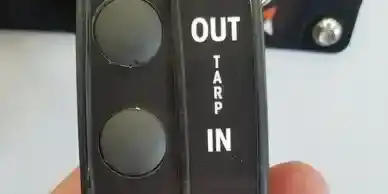
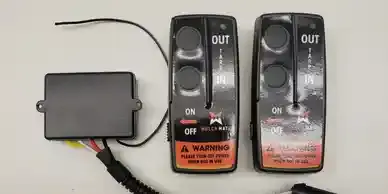
With remote turned on, check to see if you get a red light when pushing either button. If you do not get a red light, replace the battery.
Red light works but no function
If joystick works but remote does not, replace the wireless receiver.
Order on website store
If you need to order a replacement you can order a kit with the link below.